How to Connect Your Store Using the No API Extension
.webp)
Simple step-by-step guide to connect your eBay, Amazon or Facebook store using HustleGotReal's No-API Extension. No technical knowledge required - setup in minutes with secure browser-based authentication.
Connect the No API Chrome Extension Correctly
This guide follows the official PDF flow exactly. First you install and pin the extension, then you authenticate your marketplace account inside the extension and verify the status on your HGR dashboard.
Video Walkthrough
Prefer a visual setup? Watch the full walkthrough before starting.
Why Follow This Setup Order
Matches the official flow
Uses the same sequence shown in the updated PDF guide.
Fewer connection errors
Installing, pinning, and logging in with the correct account prevents most issues.
Secure credential handling
Marketplace credentials are entered in the extension and stay in your browser session.
Fast verification
You can confirm success immediately from the key icon and dashboard card.
Step-by-Step Installation and Connection
Follow every step in this order to avoid mismatched sessions:
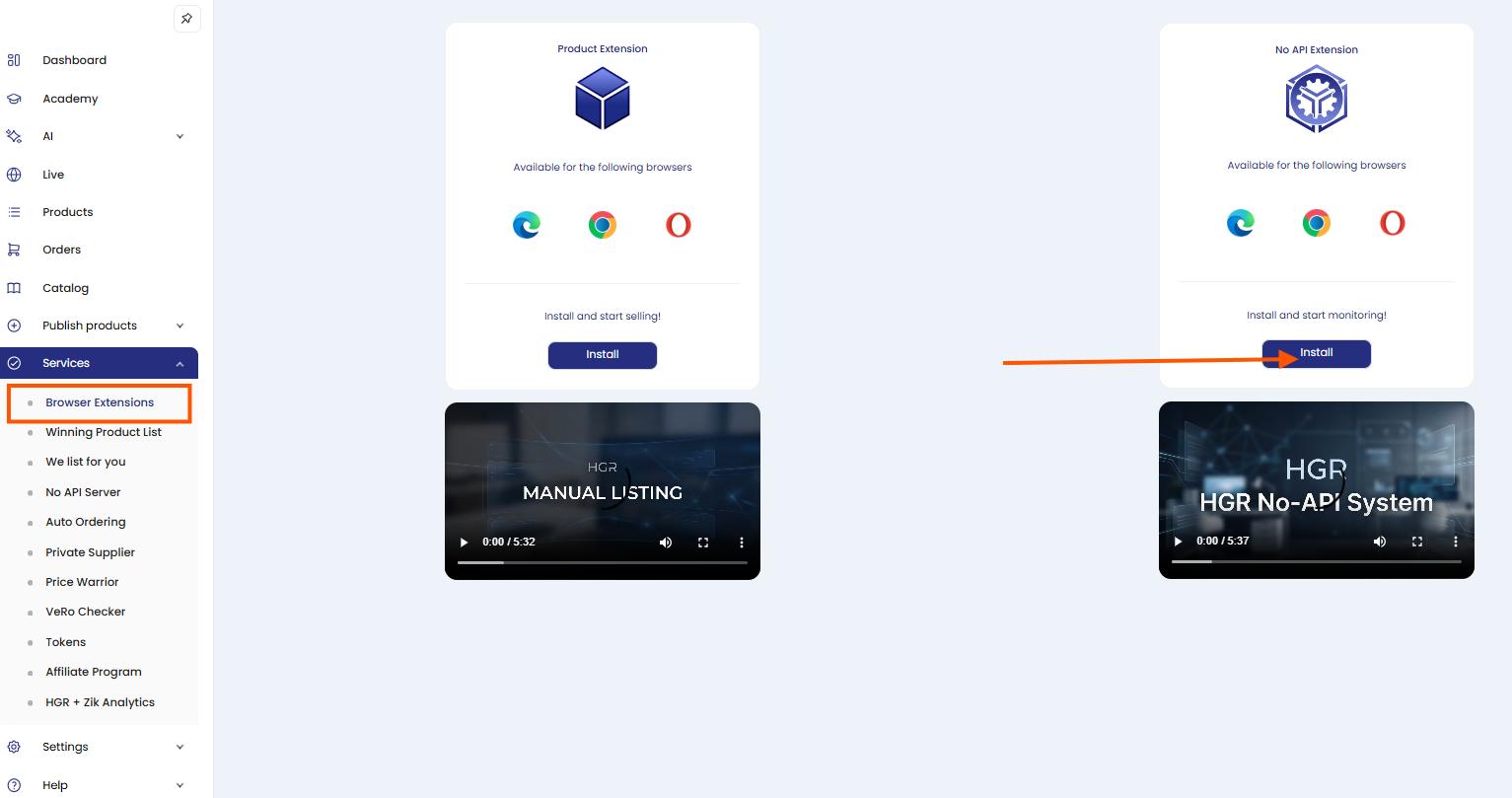
Open Services > Browser Extensions and click Install
In your HGR dashboard, go to Services, then Browser Extensions.
On the No API Extension card, click Install.
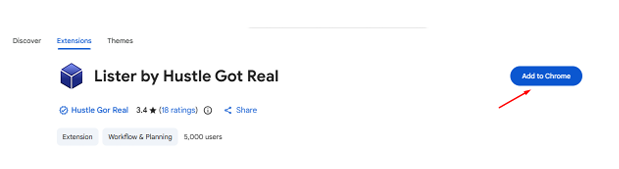
Click Add to Chrome
The Chrome Web Store page opens.
Click Add to Chrome to continue the installation.
Open the extension in Chrome Web Store
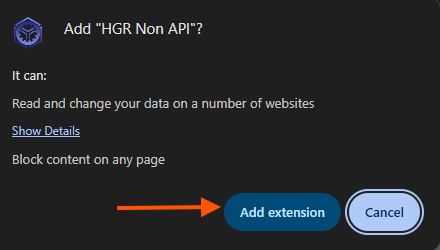
Confirm by clicking Add extension
When Chrome shows the permission prompt, click Add extension to approve installation.
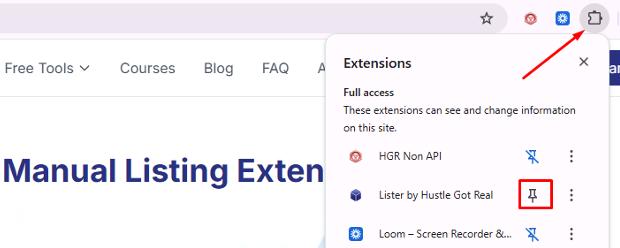
Pin the extension in Manage Extensions
Open the Extensions menu in Chrome.
Find HGR Non API and click the pin icon so it stays visible in your toolbar.
Log in to HGR and your marketplace account
Before connecting, make sure both are logged in in the same browser profile:
1) Your HGR dashboard account and 2) the marketplace account you want to connect.
Important: Keep only the target marketplace account active to avoid connecting the wrong store.
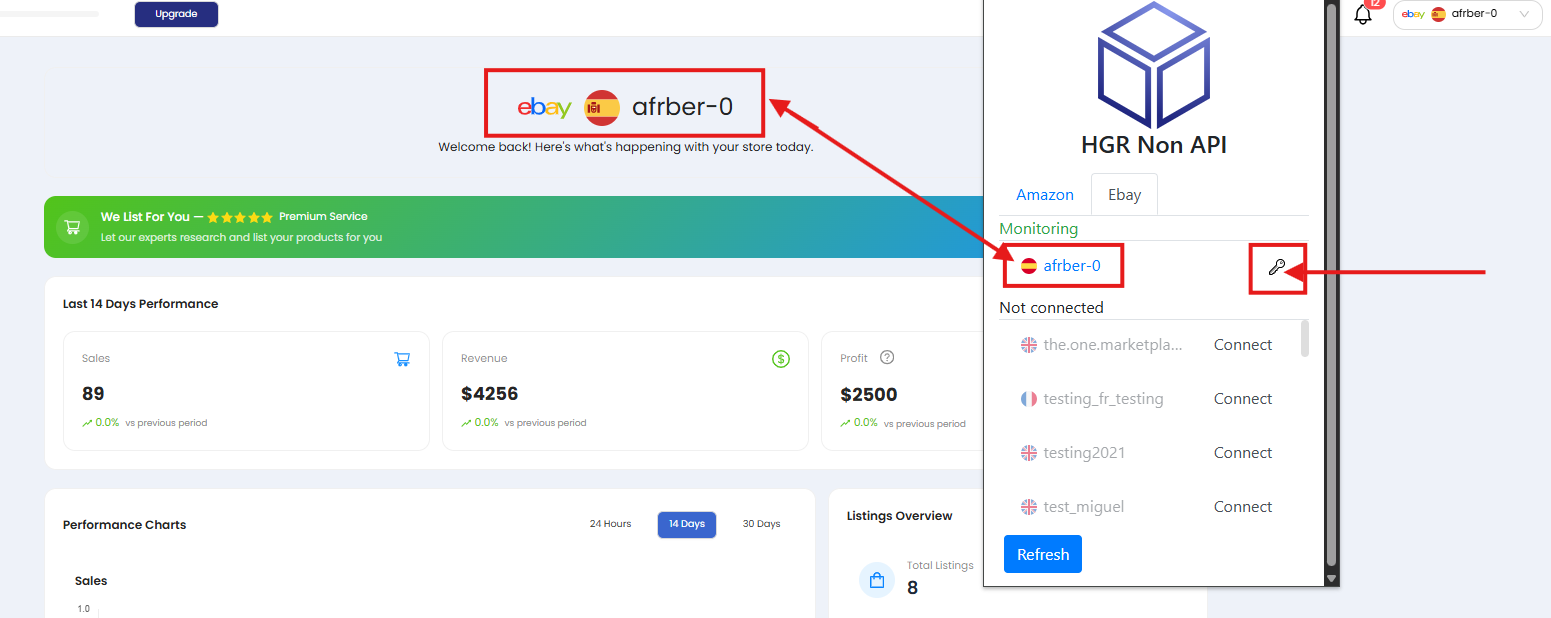
Click the key icon for your store
Open the extension and find your store under Monitoring.
Click the key icon next to that store to open the credential form.
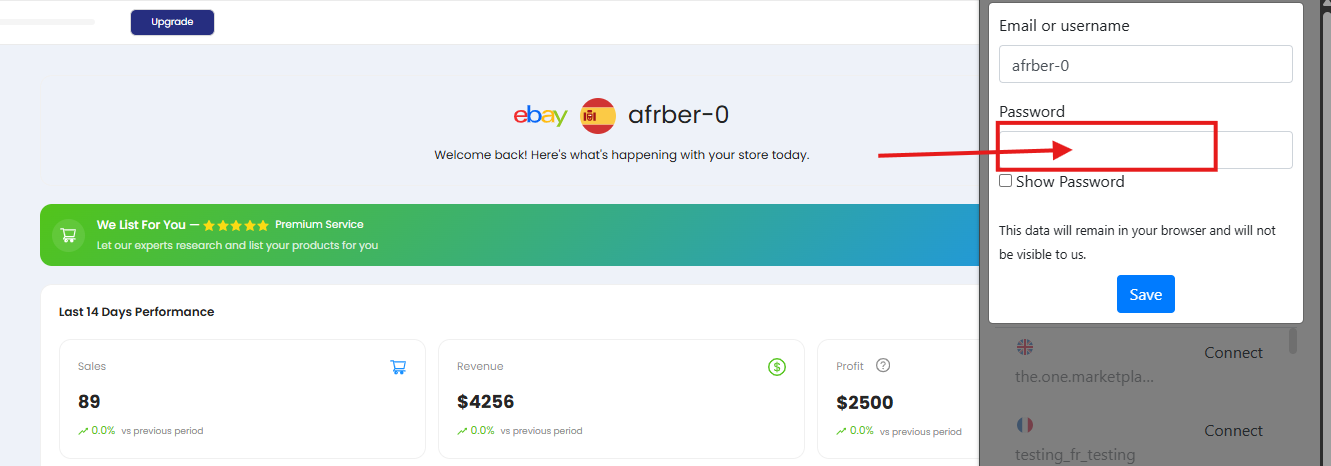
Enter your marketplace password and click Save
Type your marketplace email/username and password in the extension form.
Click Save to finish authentication.
Use your marketplace password (eBay/Amazon), not your HGR password.
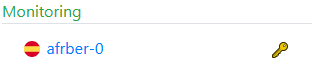
Connection complete
After saving, the key icon turns gold and your dashboard should show a green Connected status for No API.
Verify Connection Status
Use the dashboard status card to confirm whether the setup succeeded:
Connected
Green status means the extension is connected correctly and ready.
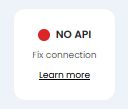
Fix connection
Red status means the connection failed or expired. Repeat the key/password steps and save again.
Troubleshooting Tips
Wrong marketplace session
If the wrong store appears, sign out and keep only the target marketplace account logged in.
Extension not pinned
Pinning the extension makes it easier to open quickly and avoid skipped steps.
Password not saved
After entering credentials, click Save and wait a few seconds for status refresh.
Still not connected
Refresh the dashboard and extension popup. If status stays red, contact support with screenshots.
Need Help?
If the connection does not stay active, our team can review your setup and identify exactly which step is failing.
Ready to Run No API Automation?
Connect your store once and start monitoring with fewer manual reconnections.
Get Started Today7-Day Money-Back Guarantee